
How to: Process Refunds
There are two ways how to access refund screen.
How to: Process Refunds
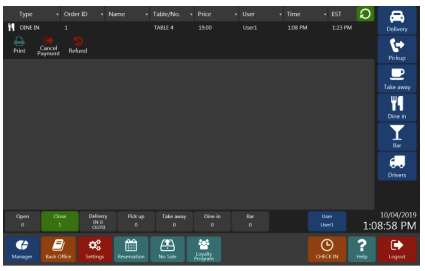
First is from Main screen. Press close button to display closed orders. Select order that needs to be refunded. Press Refund button.
Second is from Orders screen under Manager interface. You can enter order number directly or find it on the list of orders for particular date. Then press Refund button.
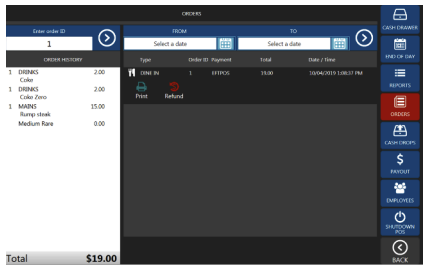
Order Screen
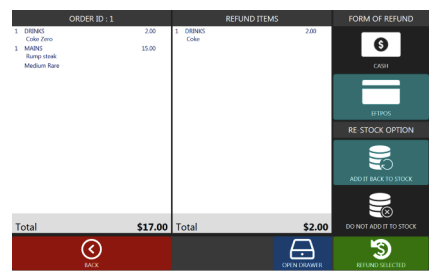
It is possible to do partial refunds by selecting items that need to be refunded or you can refund whole order by pressing Refund all button. Cash orders can be refunded by cash only. If the order was paid by card it is possible to refund it by cash or by using eftpos.
Note
Get started at https://www.pushpos.com/
Still need help?
Ask a question and our team will pick it up. You can also email support@pushpos.com.