
How to: Enable Cloud Menu
How to: Enable Cloud Menu
Steps:
- Go to Back Office.
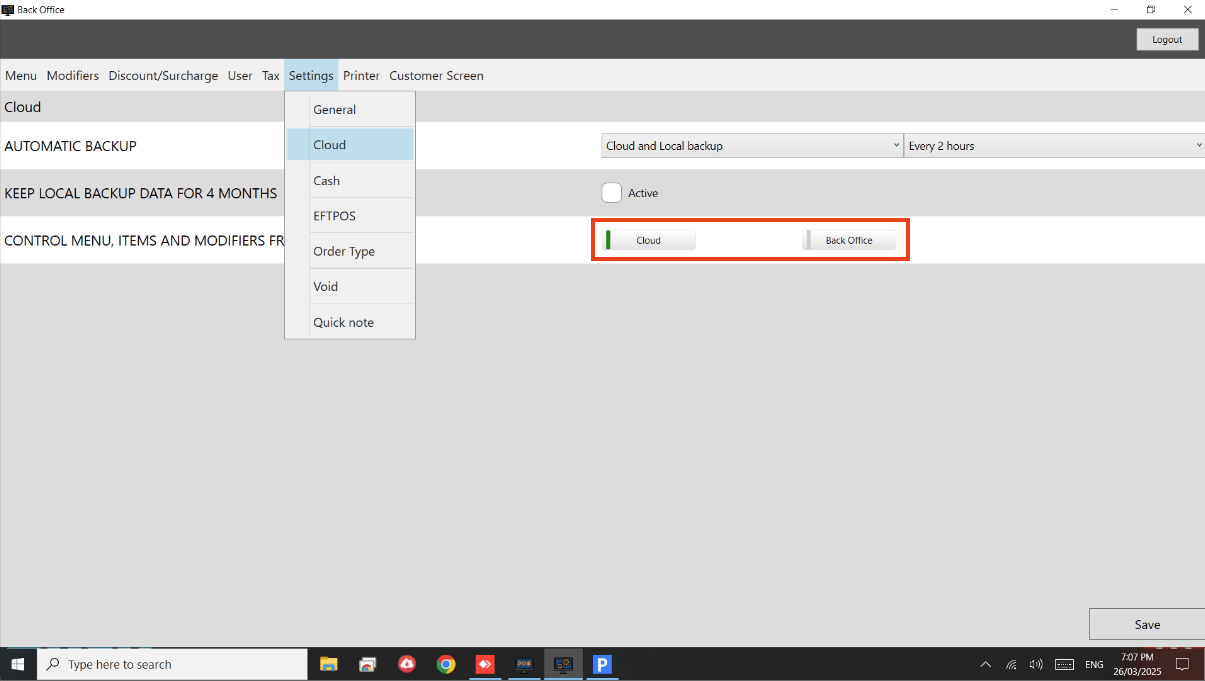
- Go to Settings > Cloud.
- Enable Cloud under Control Menu, Items and Modifiers.
- See below image.
Still need help?
Ask a question and our team will pick it up. You can also email support@pushpos.com.