
How to Merge Table Orders on PushPOS
This feature allows you to combine orders from multiple tables into a single table for easier management and billing.
How to Merge Table Orders on PushPOS
Steps
Verify which tables need to be merged.

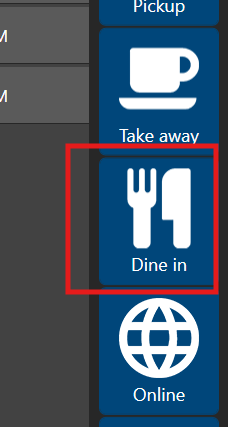
Go to Dine-In Services on the POS.
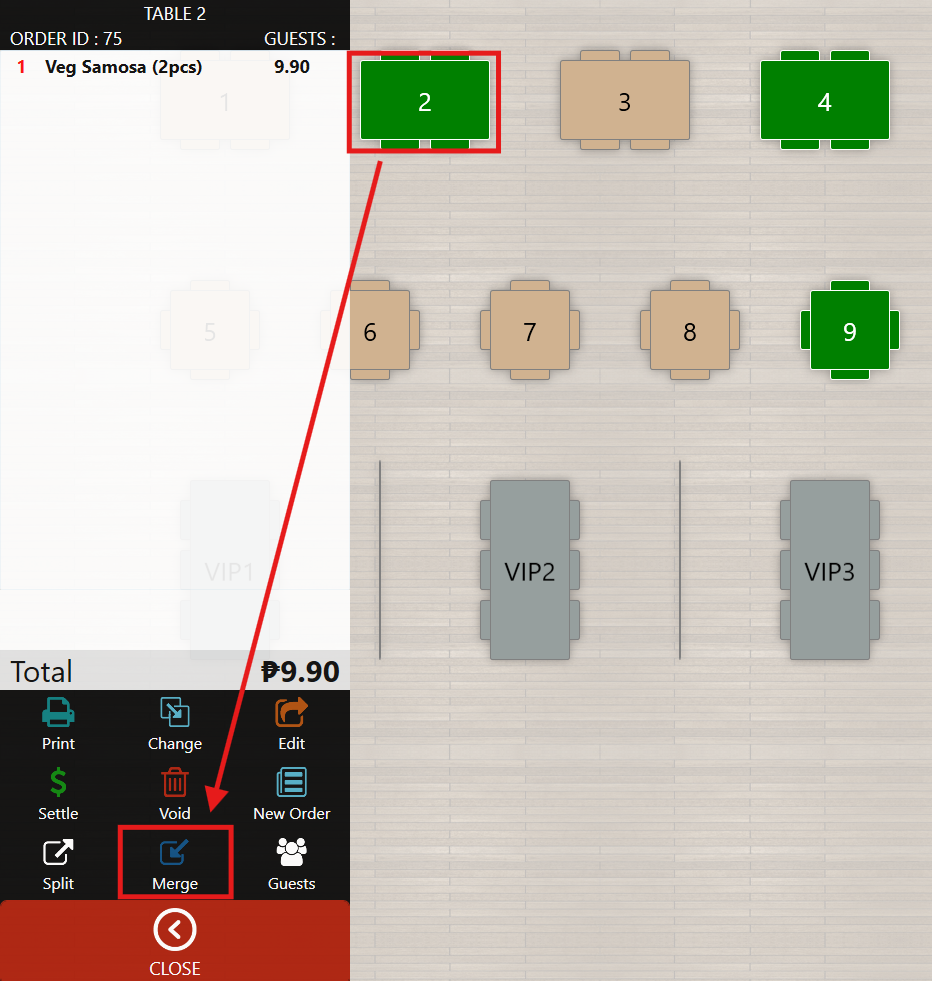
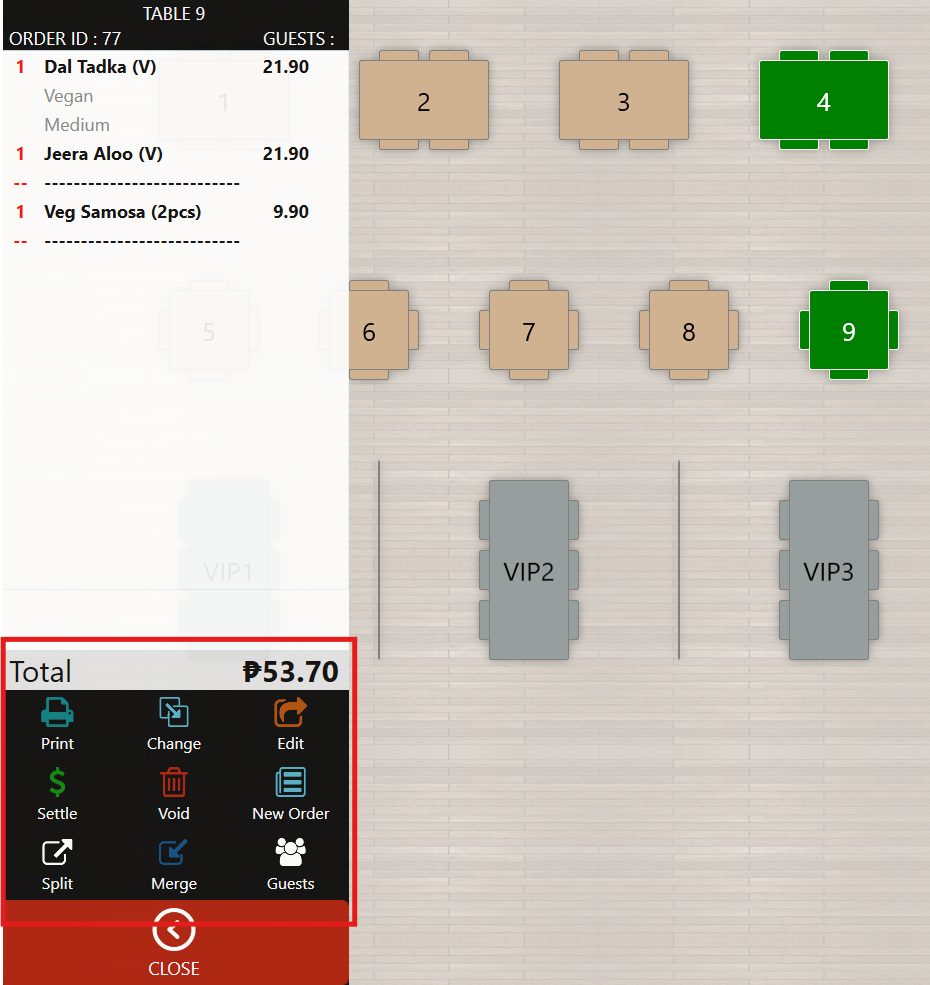
Select the first table, then click Merge from the available options.
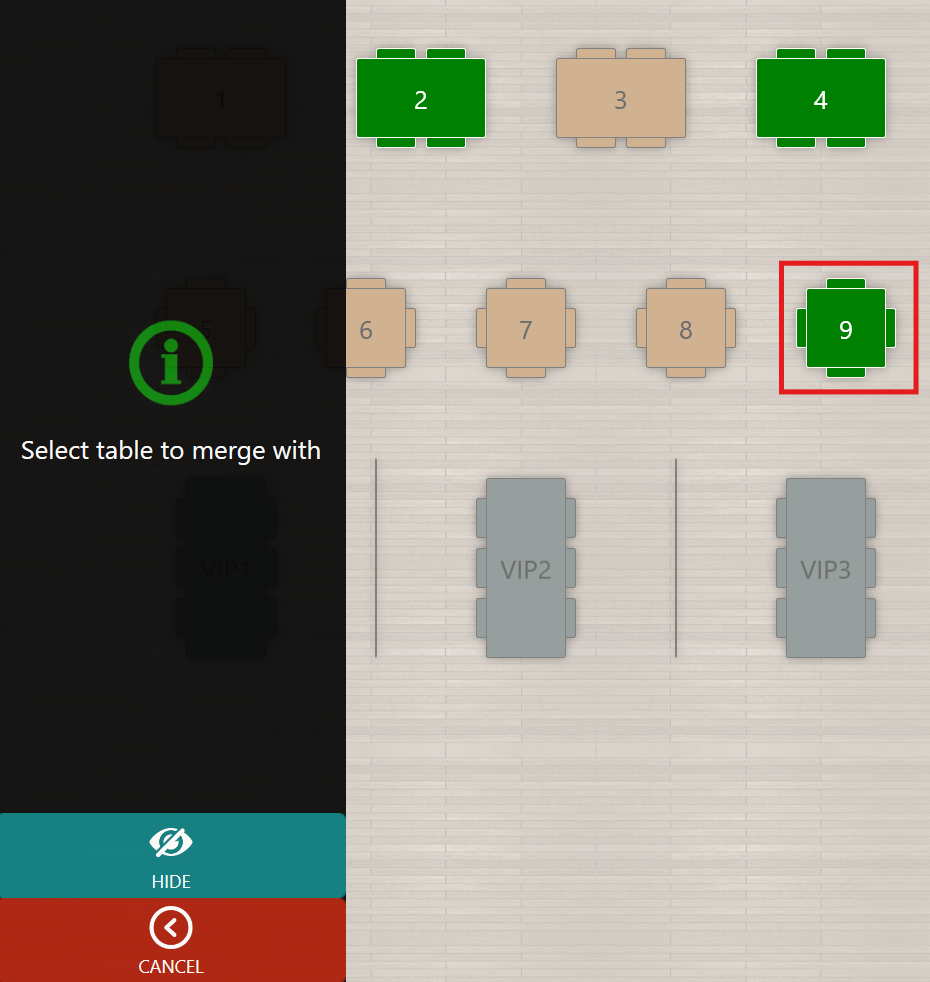
Choose the second table where you want to merge the orders.
The first table will become vacant, and its orders will transfer to the selected table.
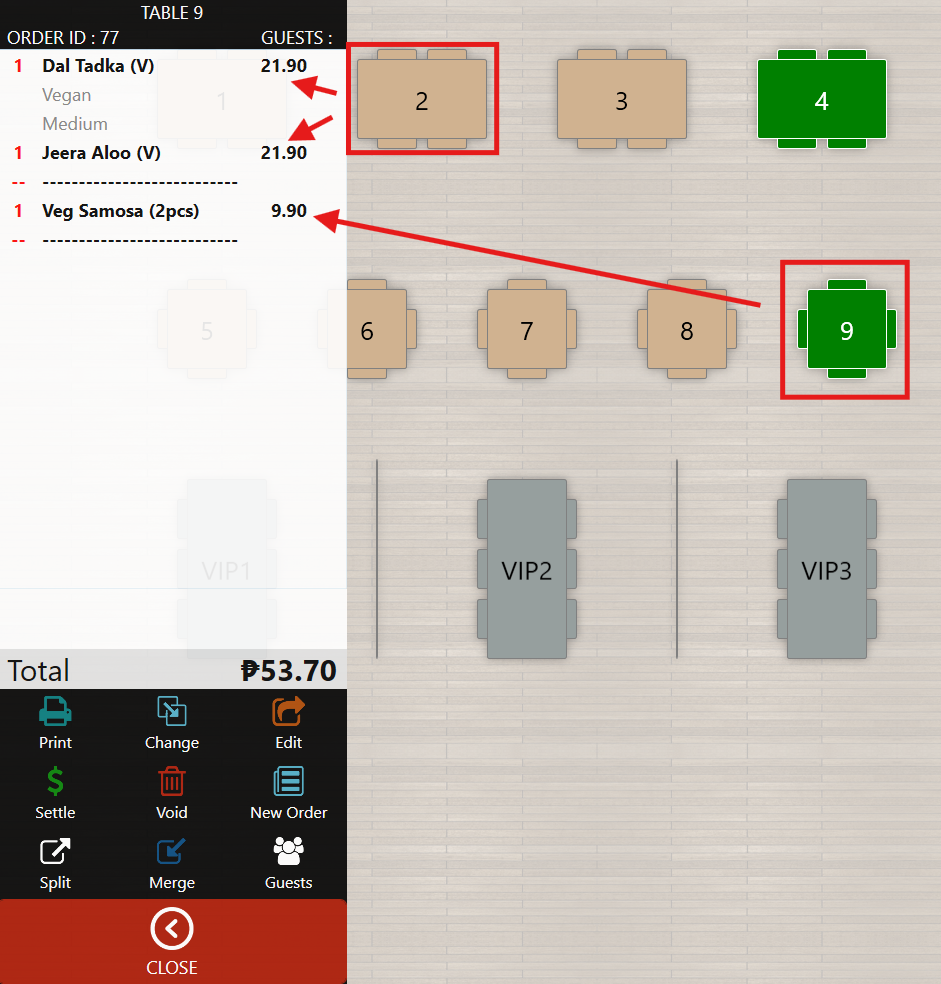
After merging, you can:
- Adjust the combined order, or
- Proceed to Settle the bill.
Note
- A broken line indicator will appear, showing that the order came from multiple merged tables.
Still need help?
Ask a question and our team will pick it up. You can also email support@pushpos.com.