
How to Combine Items on POS
This procedure allows the POS to combine identical items in an order and display them as a single line item on the receipt.
How to Combine Items on POS
Steps
Log in to the Back Office using an Administrator account. Go to Settings > General.
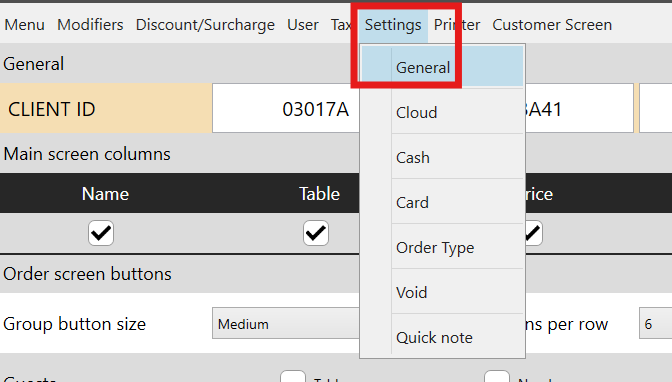
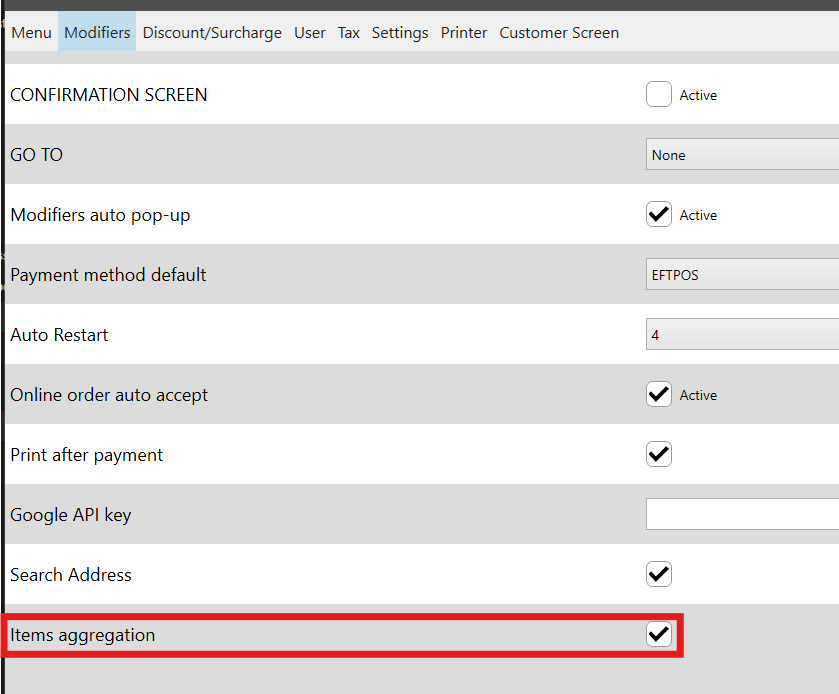
Scroll down to Item Aggregation and enable (check) the box. Click Save to apply the changes.
Note:
- Items with the same name will be combined into a single line item, with their quantities added together.
Still need help?
Ask a question and our team will pick it up. You can also email support@pushpos.com.