
How to: Add New Users
How to: Add New Users
Preset user’s login ID with administrator privileges is 191919.
Steps:
- To add new user go to Home Screen, press Back Office on Control Panel, then go to “User”
- Type the new user name and press “Add”
- Select the user you just added.
- Type their Login ID, set up their privileges and press “Save”
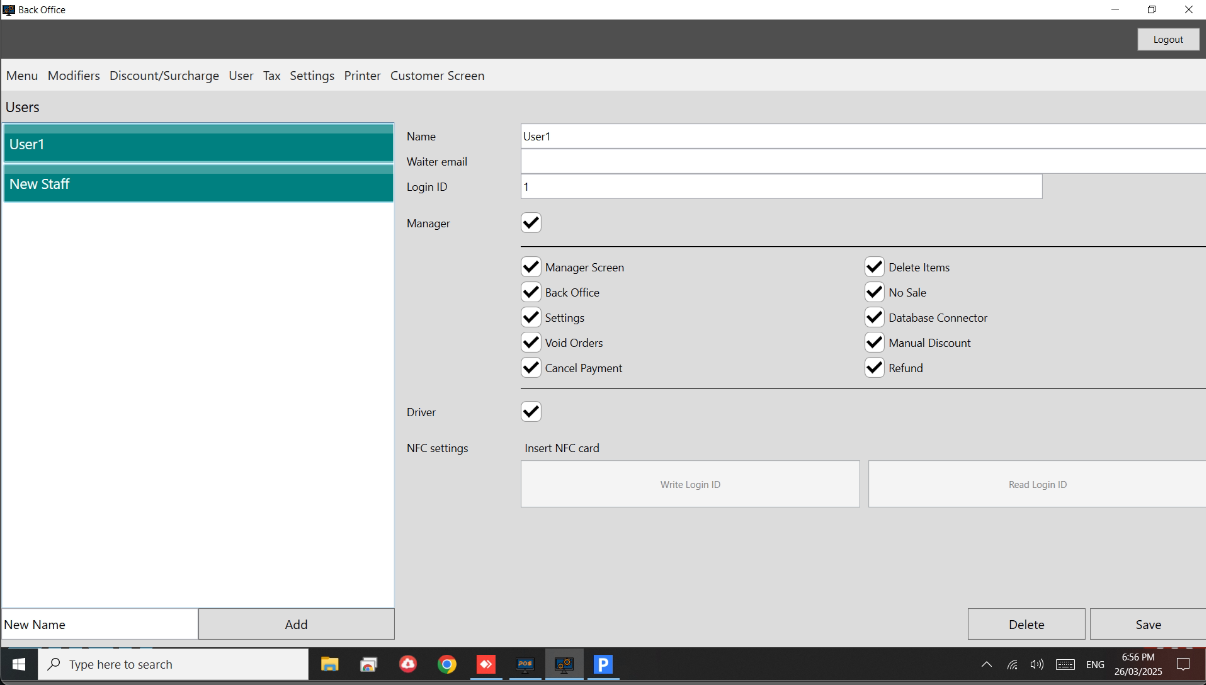
Managers privileges:
Managers can access Manager Menu, Back Office, Reservations and Settings. Managers can void orders, delete items from order and add manual discount.
Note
Get started at https://www.pushpos.com/
Still need help?
Ask a question and our team will pick it up. You can also email support@pushpos.com.