
How to: Adjust the Number of Buttons on POS screen
Change these settings to adjust how big / change size of the buttons.
How to: Adjust the Number of Buttons on POS screen
Steps:
- Go to Back Office.
- Go to Settings > General.
- Go to Order Screen Buttons > Menu Buttons per Row.
- Adjust on how many buttons you want to be visible per row.
- See image below.
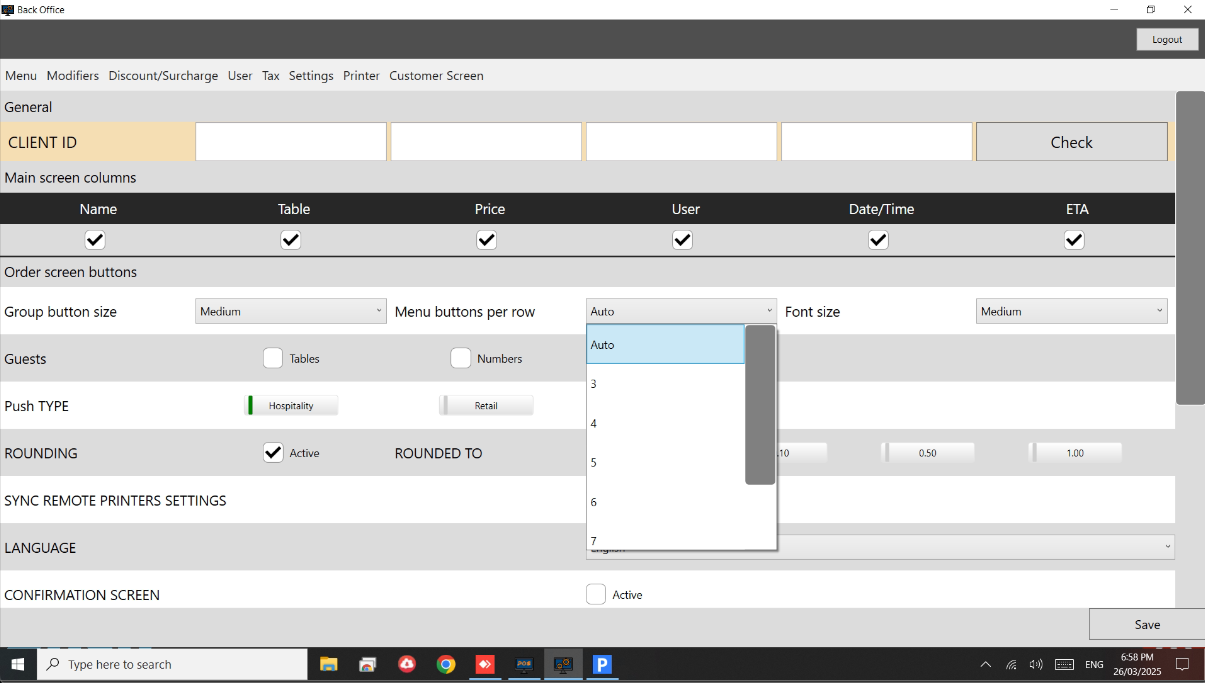
Note: Also you can adjust the size and font of the button on the same field.
Still need help?
Ask a question and our team will pick it up. You can also email support@pushpos.com.