
How to: Create Open Item
How to: Create Open Item
Steps:
- Go to Menus > Add Item
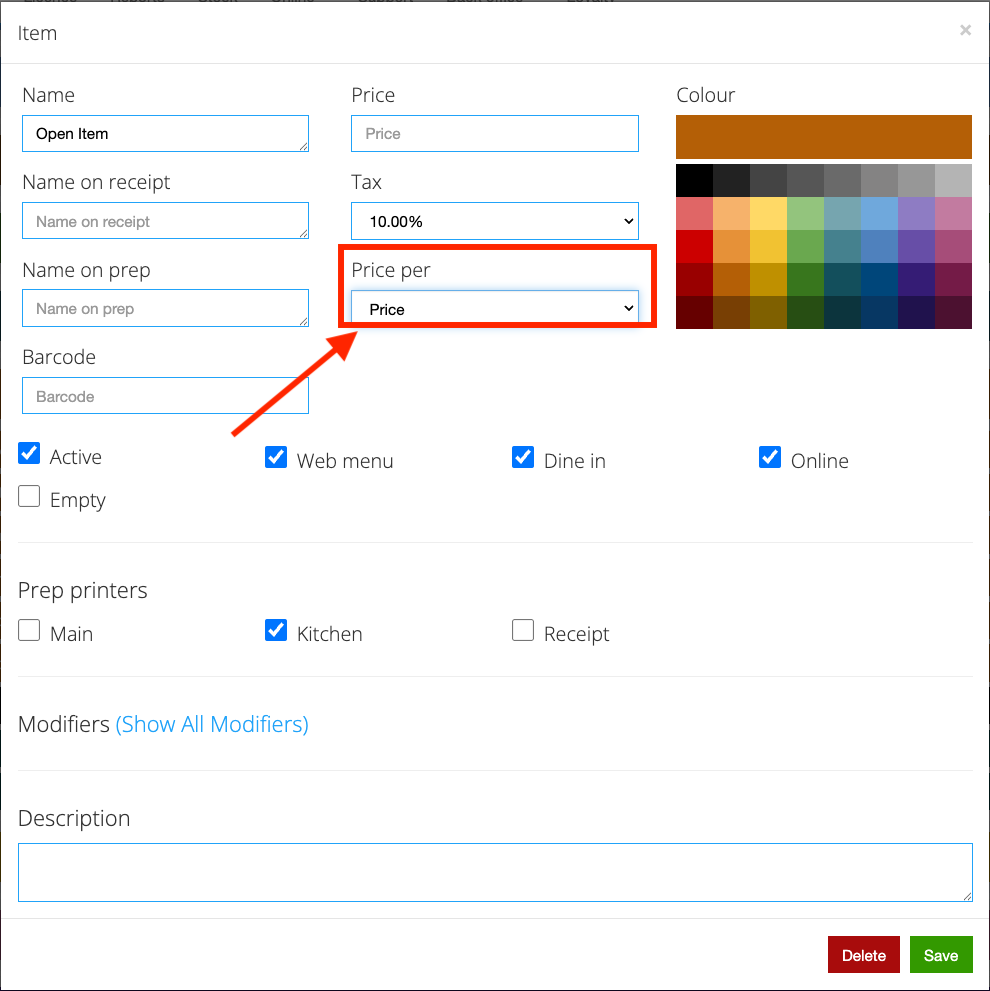
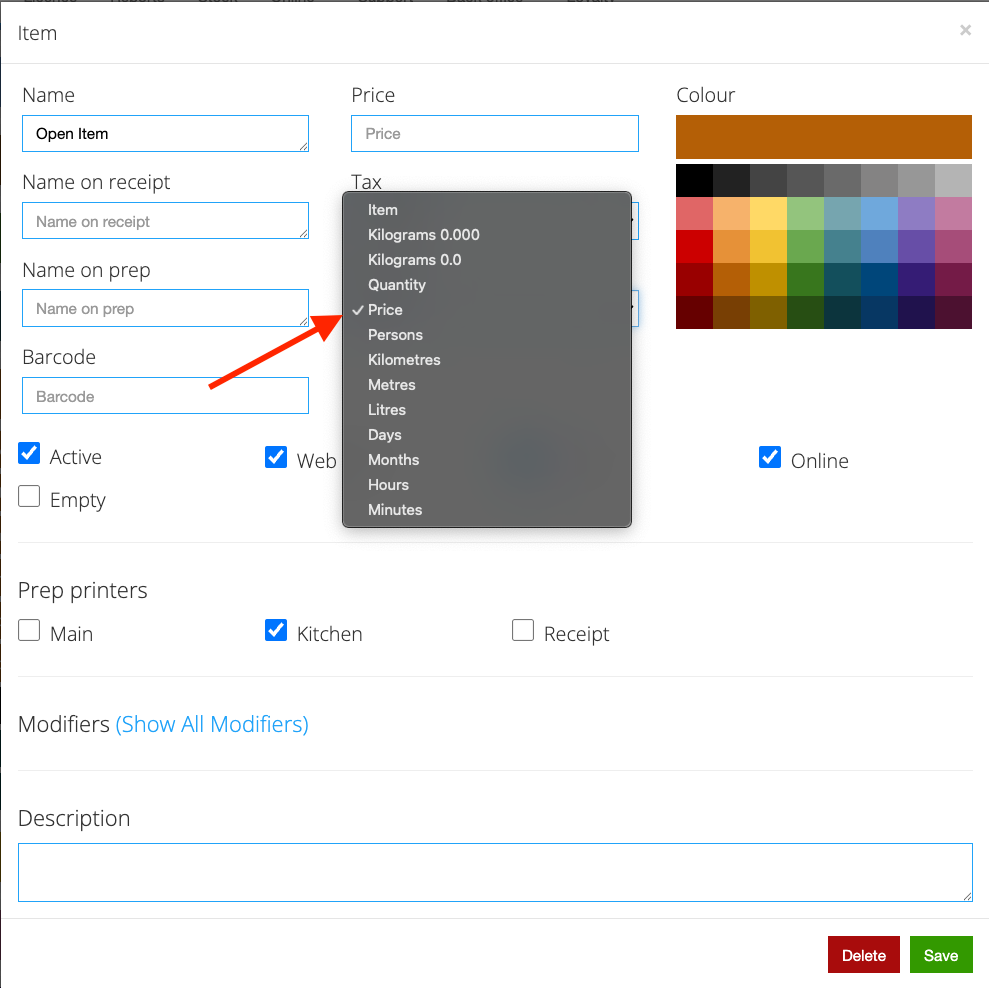
- Change the “Price Per” setting to “Price”
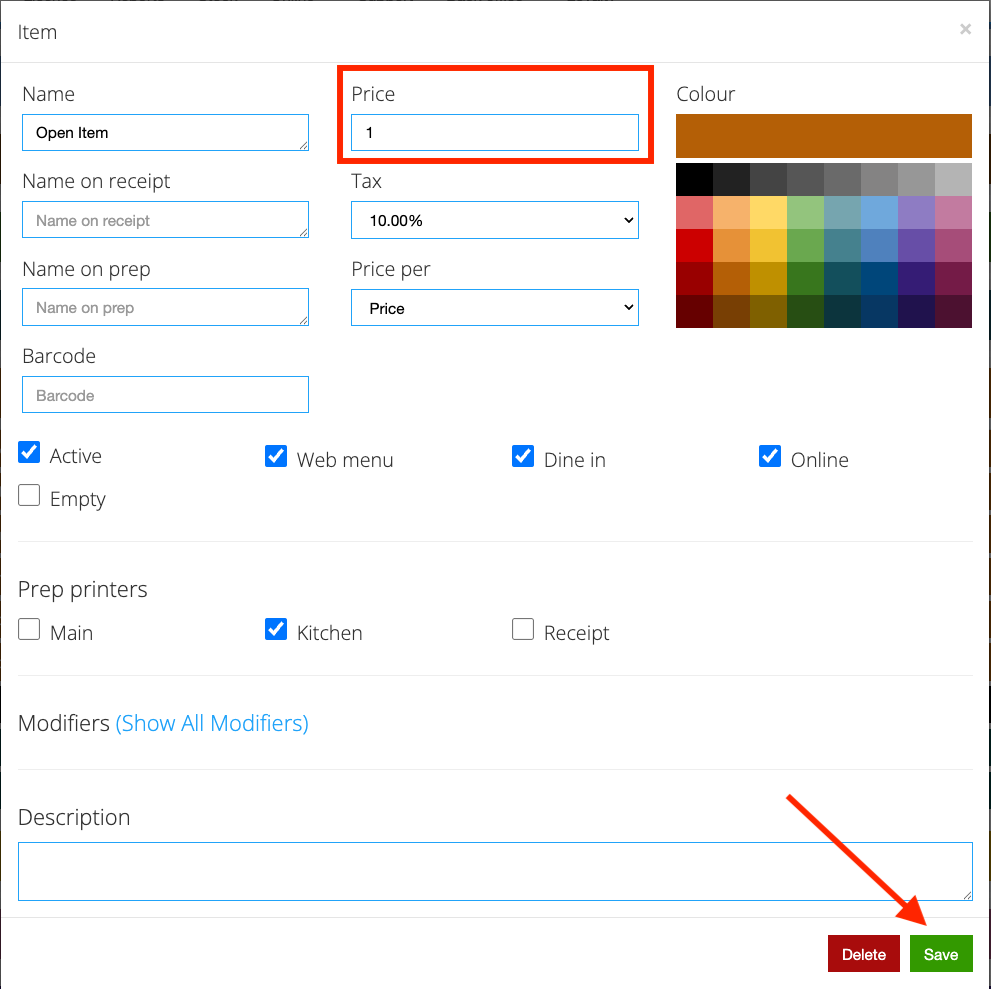
- Set the price to “1” then hit “Save”
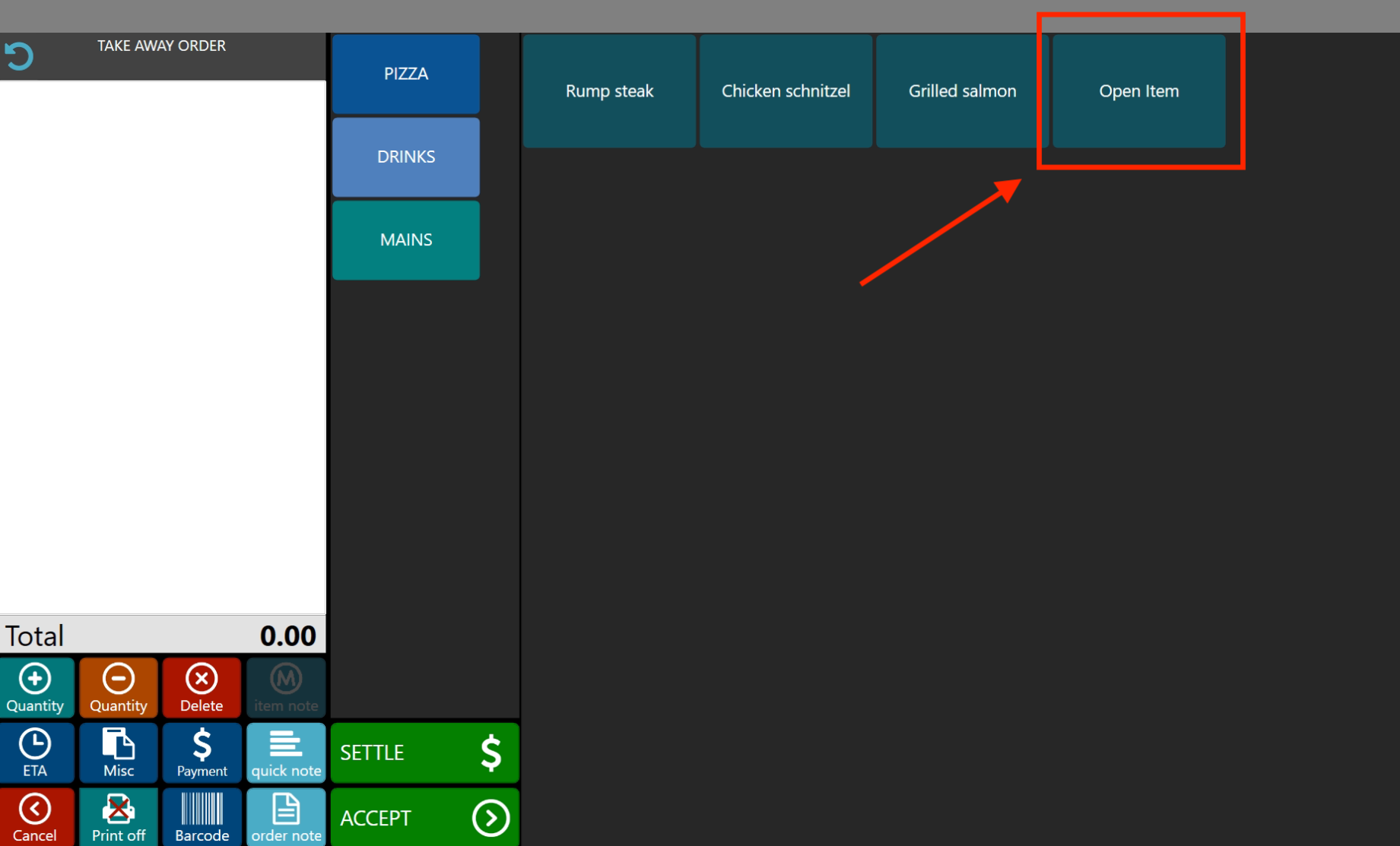
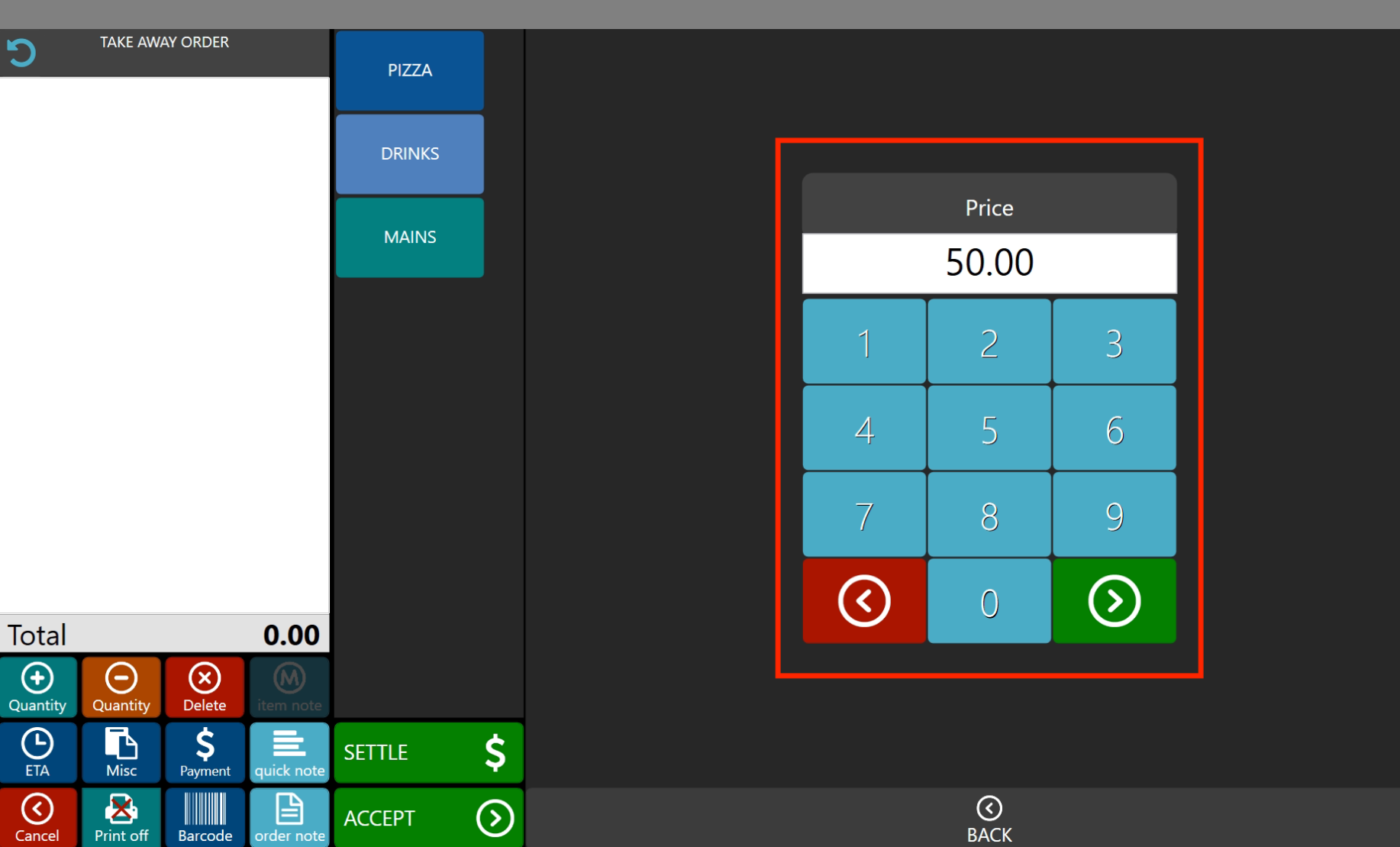
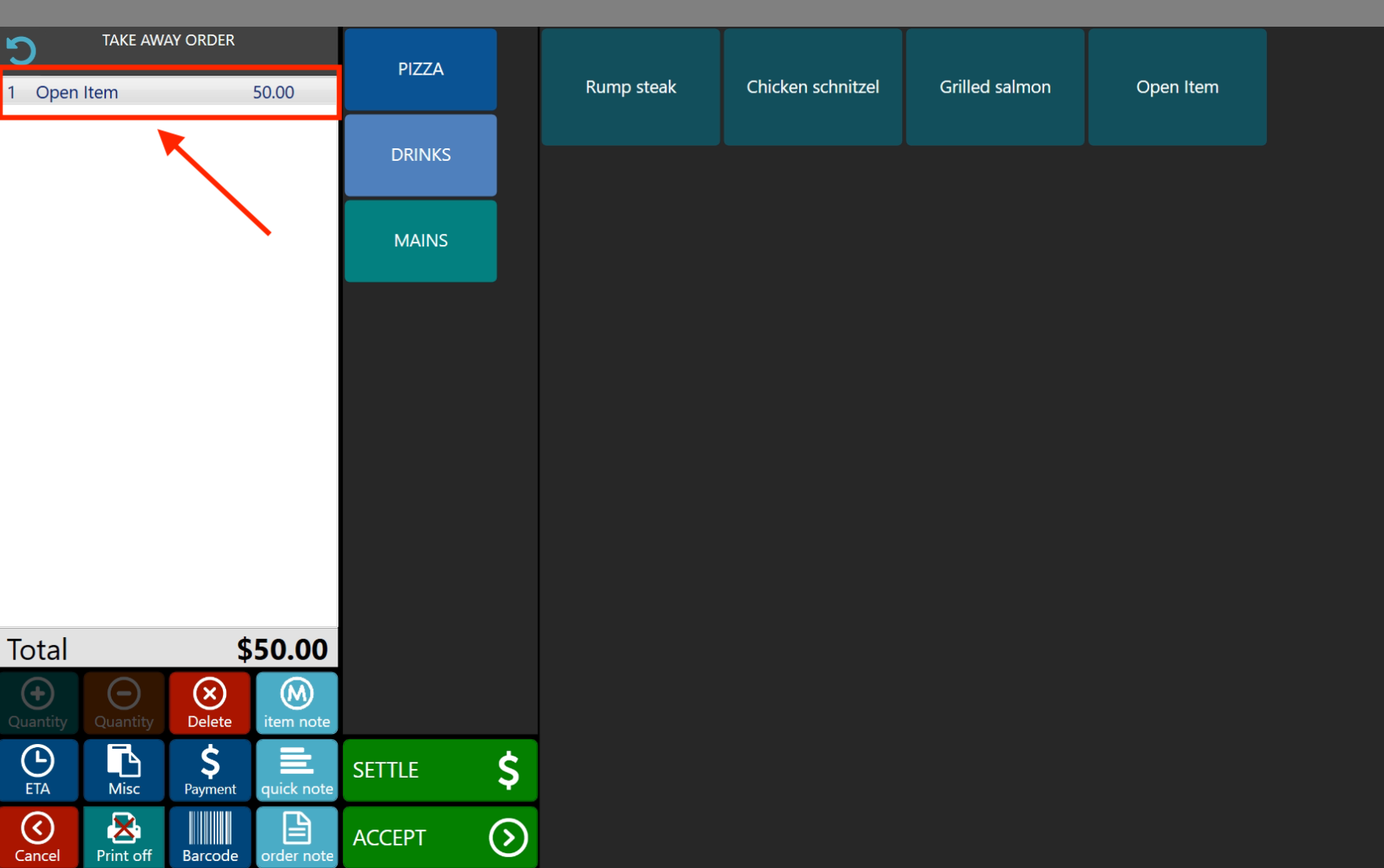
- From the front-end menu, just select the Open Item and input desired amount.
Still need help?
Ask a question and our team will pick it up. You can also email support@pushpos.com.