
How to: Adjust Font Printing Size
This guide covers PushPOS printing
Steps below are for receipt printing and POS setup using PushPOS.
How to: Adjust Font Printing Size
Steps:
- Go to Back Office.
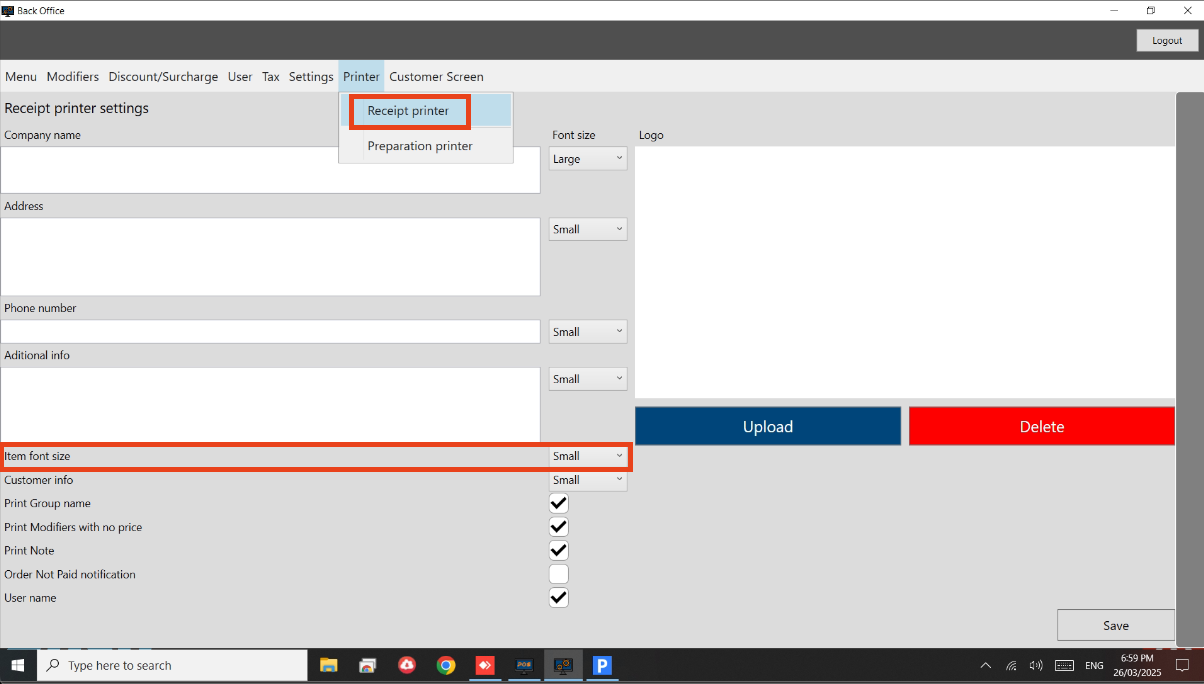
- Go to Printer > Receipt Printer.
- Look for the ‘Item font size’.
- Adjust based on your own preference.
- See below image.
Still need help?
Ask a question and our team will pick it up. You can also email support@pushpos.com.