
How to: Always Print After Payment
How to: Always Print After Payment
Steps:
- Go to Back Office.
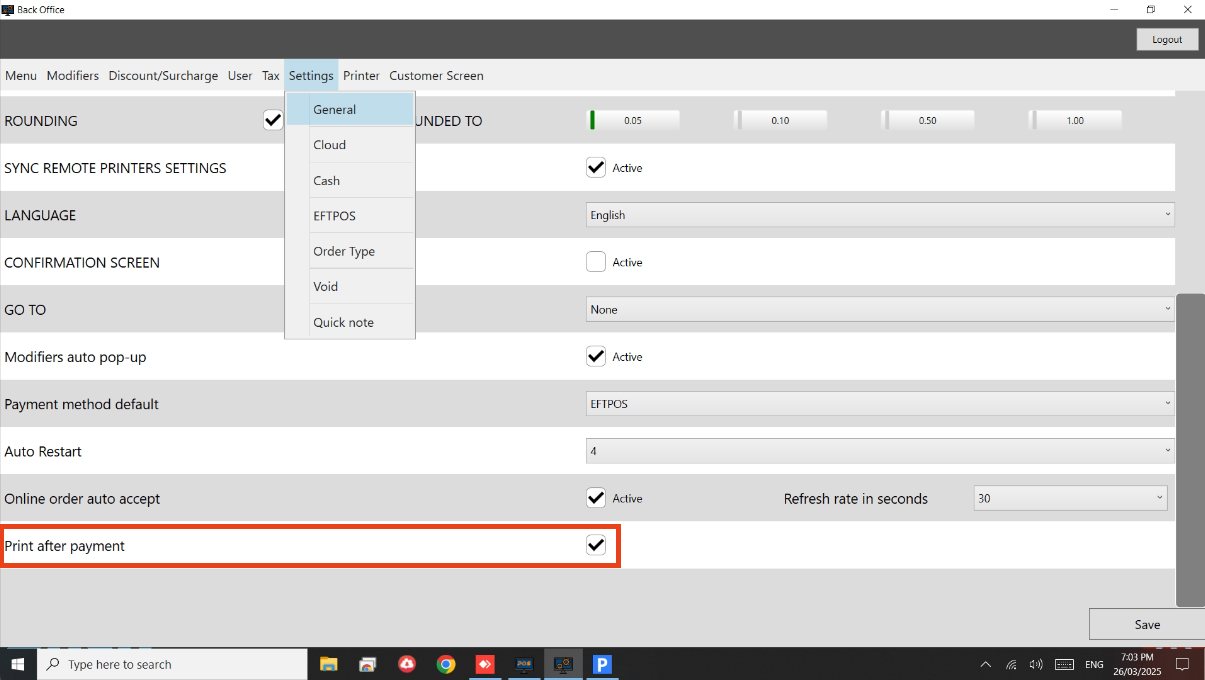
- Settings > General.
- Enable ‘Print after payment’ option.
- See below image.
Still need help?
Ask a question and our team will pick it up. You can also email support@pushpos.com.