
How to: Auto-print Receipt
This option is per Order Type
How to: Auto-print Receipt
Steps:
- Go to Back Office.
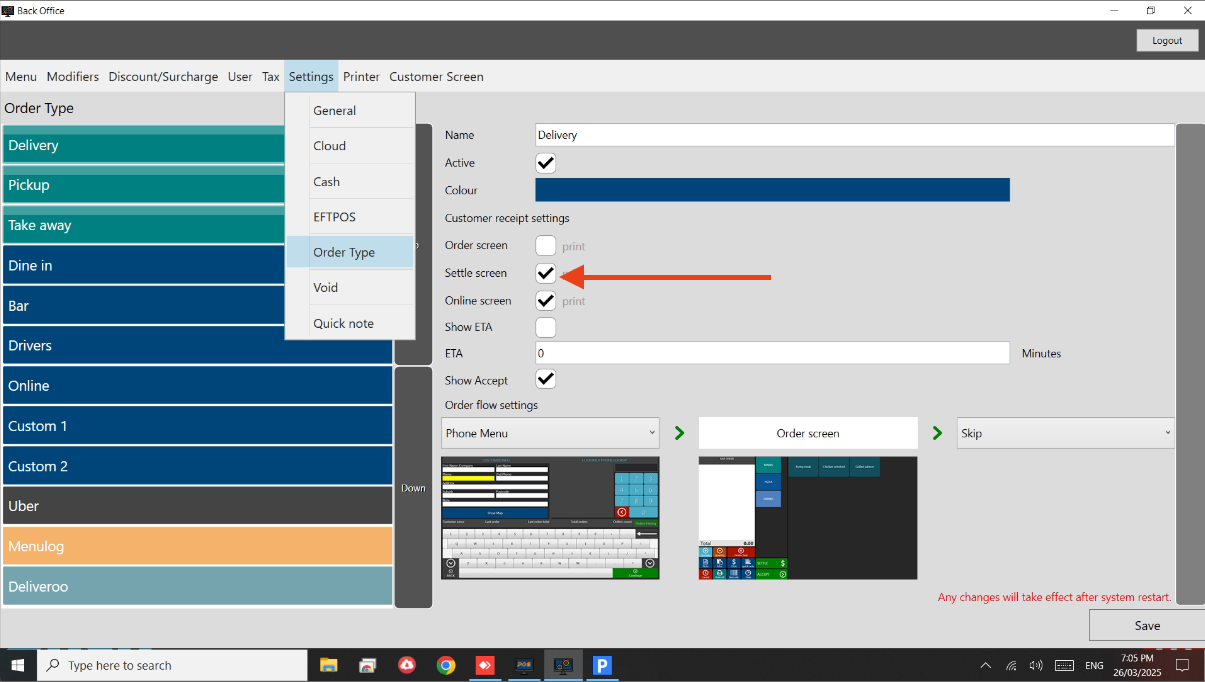
- Go to Settings > Order Type.
- Go to each Order Type and tick the box for Settle screen.
- See below image.
Still need help?
Ask a question and our team will pick it up. You can also email support@pushpos.com.