
Fix for App Not Opening
Fix for App Not Opening
Steps:
- Open Database Connector.
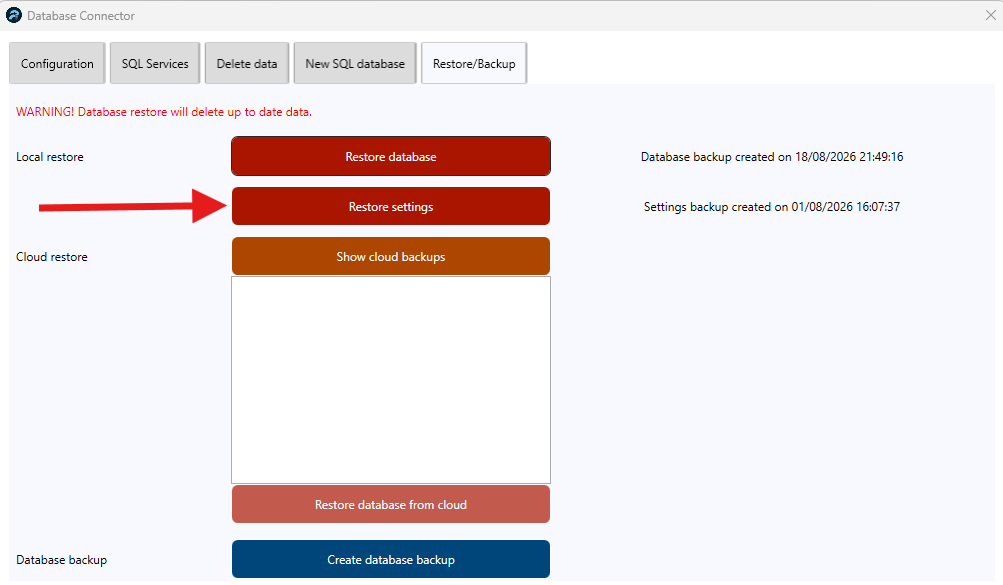
- Navigate to Restore/Backup tab.
- Click on Restore Settings.
- See below image.
Note:
- If the app still doesn’t open, you can try clicking Restore Database. However, please be aware that this will remove the existing sales data, so proceed with caution and only use this option if necessary.
- After clicking Restore Database, select Show Cloud Backups and choose the most recent available backup. This will allow you to restore the database using the latest cloud backup.
Still need help?
Ask a question and our team will pick it up. You can also email support@pushpos.com.