
Left / Right Pizza Settings
Also known as 50/50 pizza
Left / Right Pizza Settings
Steps:
- Go to Back Office.
- Go to Modifiers > Option.
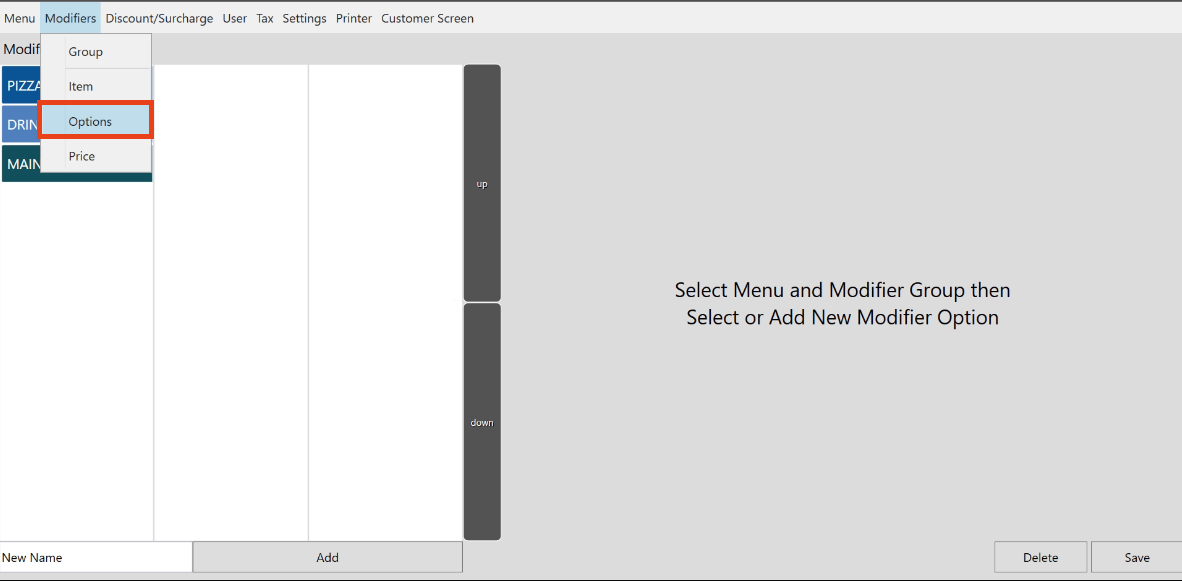
- Locate the Pizza Category and go to Extras (Modifiers).
- Click 'Add' to add a button for Left and Right portion.
- Also, you can add other option such as 'NO' or 'Double'.
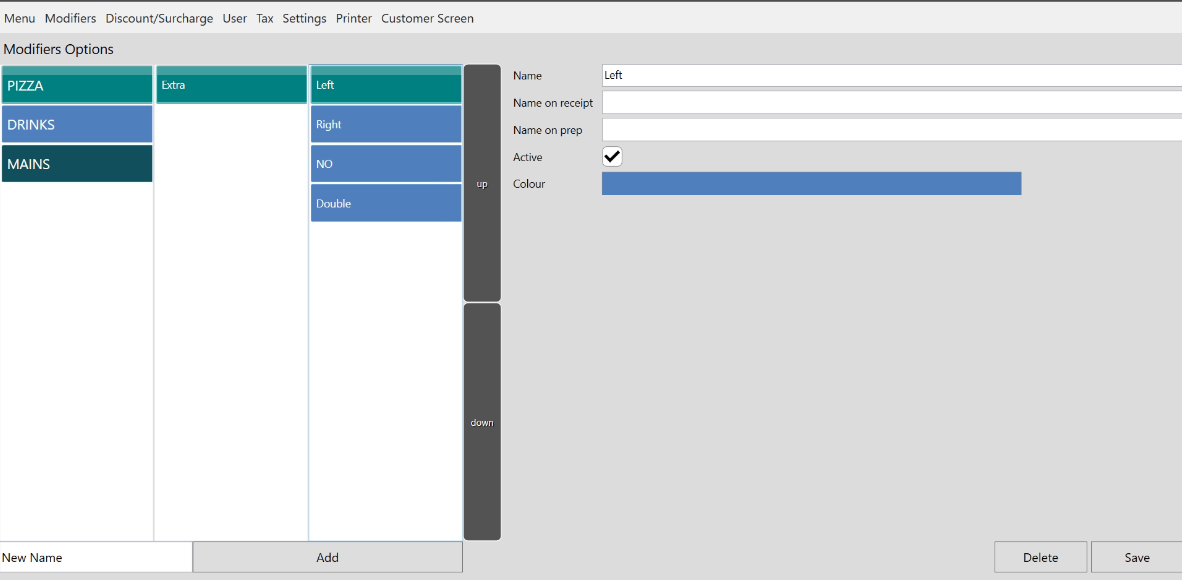
- Make sure to hit 'Save' once it's added.
- Go to Modifiers > Items.
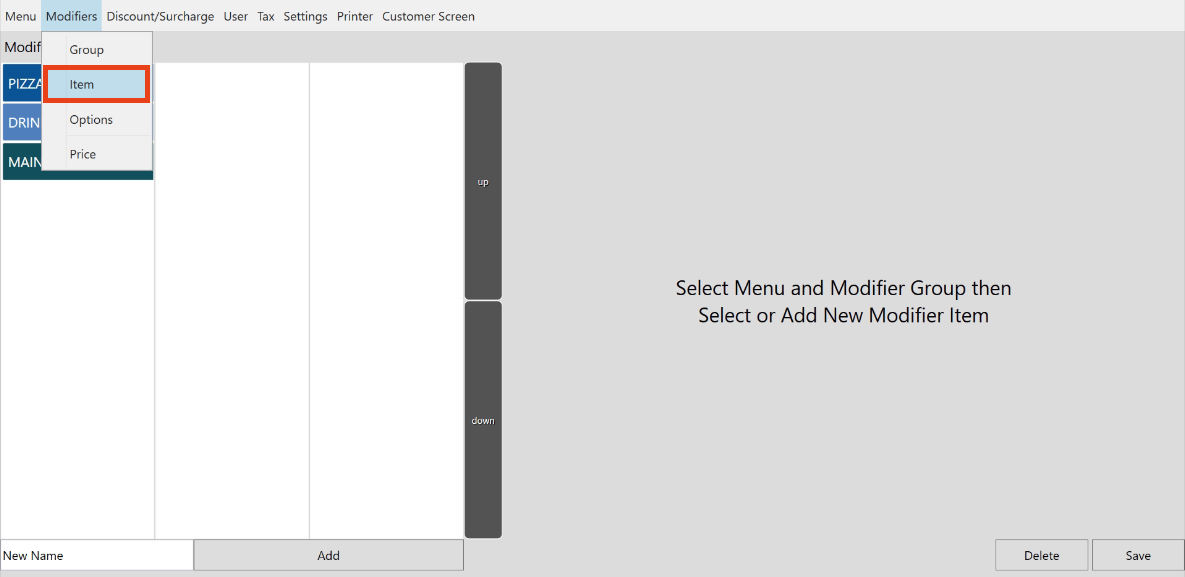
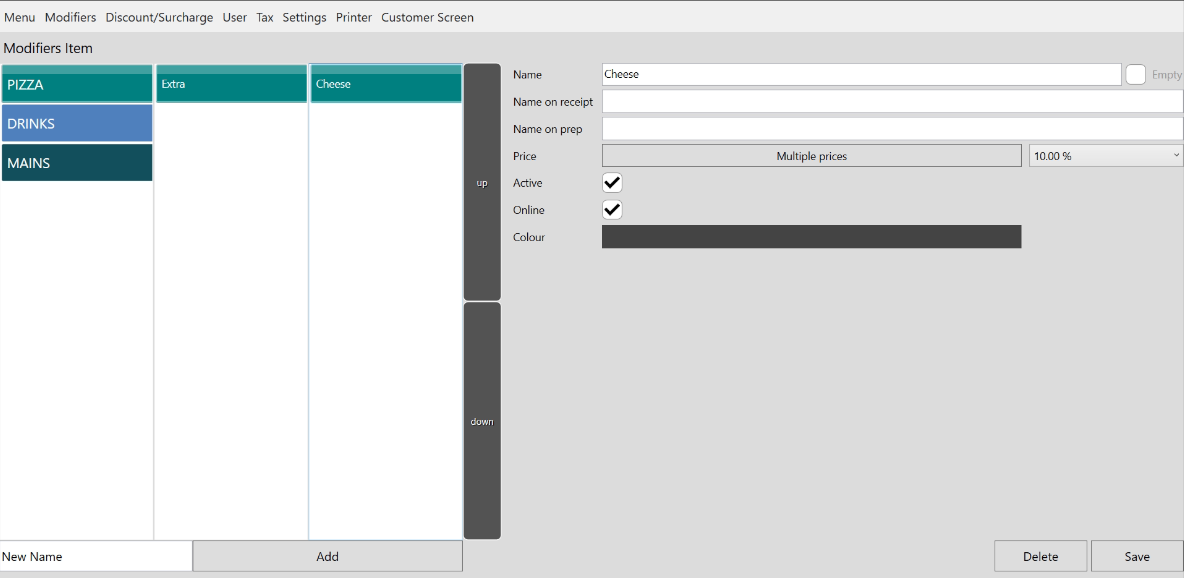
- Indicate which toppings the portion will be added. (Ex. Cheese).
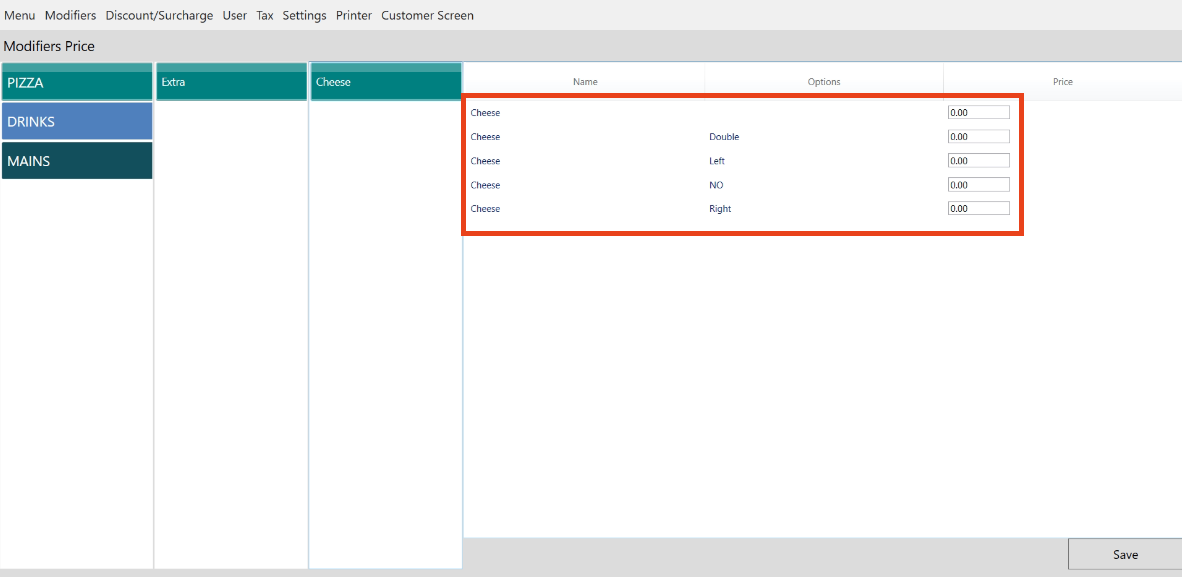
- To add prices on the portion, Go to Modifiers > Price.
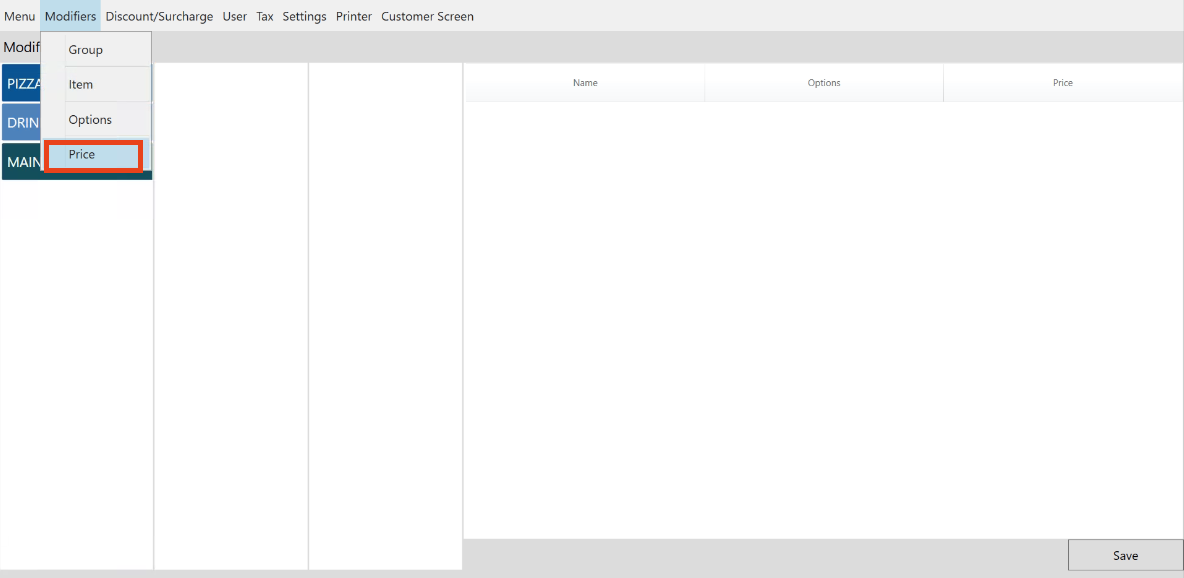
- Adjust the pricing for each sizes of the toppings. Click Save.
Still need help?
Ask a question and our team will pick it up. You can also email support@pushpos.com.