
Adding Tax
Adding Tax
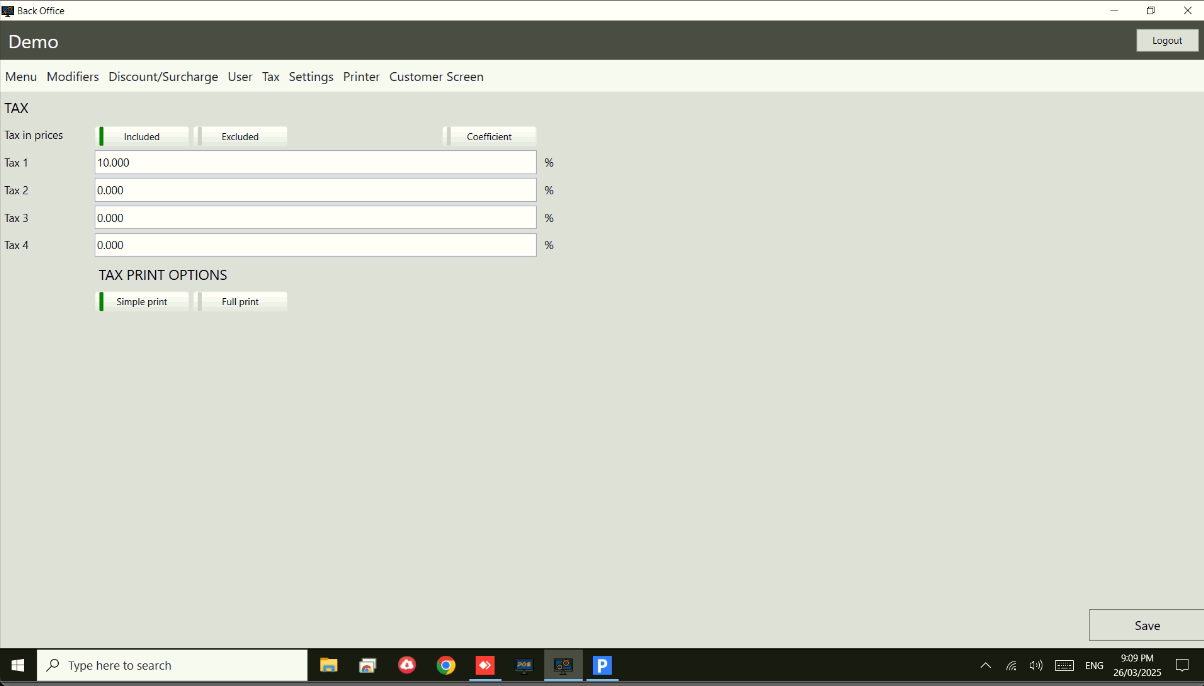
To edit or add new tax go to Home Screen, press Back Office on the Control Panel , then go to “Tax” , then select Calculation method (most countries Simple) and enter tax amount into one of four boxes.
You can choose printing format of the receipt by selecting either Simple or Full print and press “Save” to save it.
Note
Get started at https://www.pushpos.com/
Still need help?
Ask a question and our team will pick it up. You can also email support@pushpos.com.